Maintaining a digital library with Notion
An attempt to move away from an excess of social media accounts
Published on 17 Feb, 2023
Reading has always been one of my favourite hobbies. Almost equal to reading, though, is the act of cataloguing my personal library, which I maintain on a yearly basis (my current reading logs date back to 2015). I’ve gone through many iterations of maintaining my library, including Goodreads, handwritten lists in notebooks, Airtable, landing finally on a private database on Notion.
I also have a public version of my library hosted on my website, which allows me to visualise this data however I want as well as reflect back on the archives at the end of each year. I always enjoy stumbling onto people’s book recommendations that they may have listed on their portfolios, so I wanted to do something similar. This setup was built using the Notion API with Next.js.
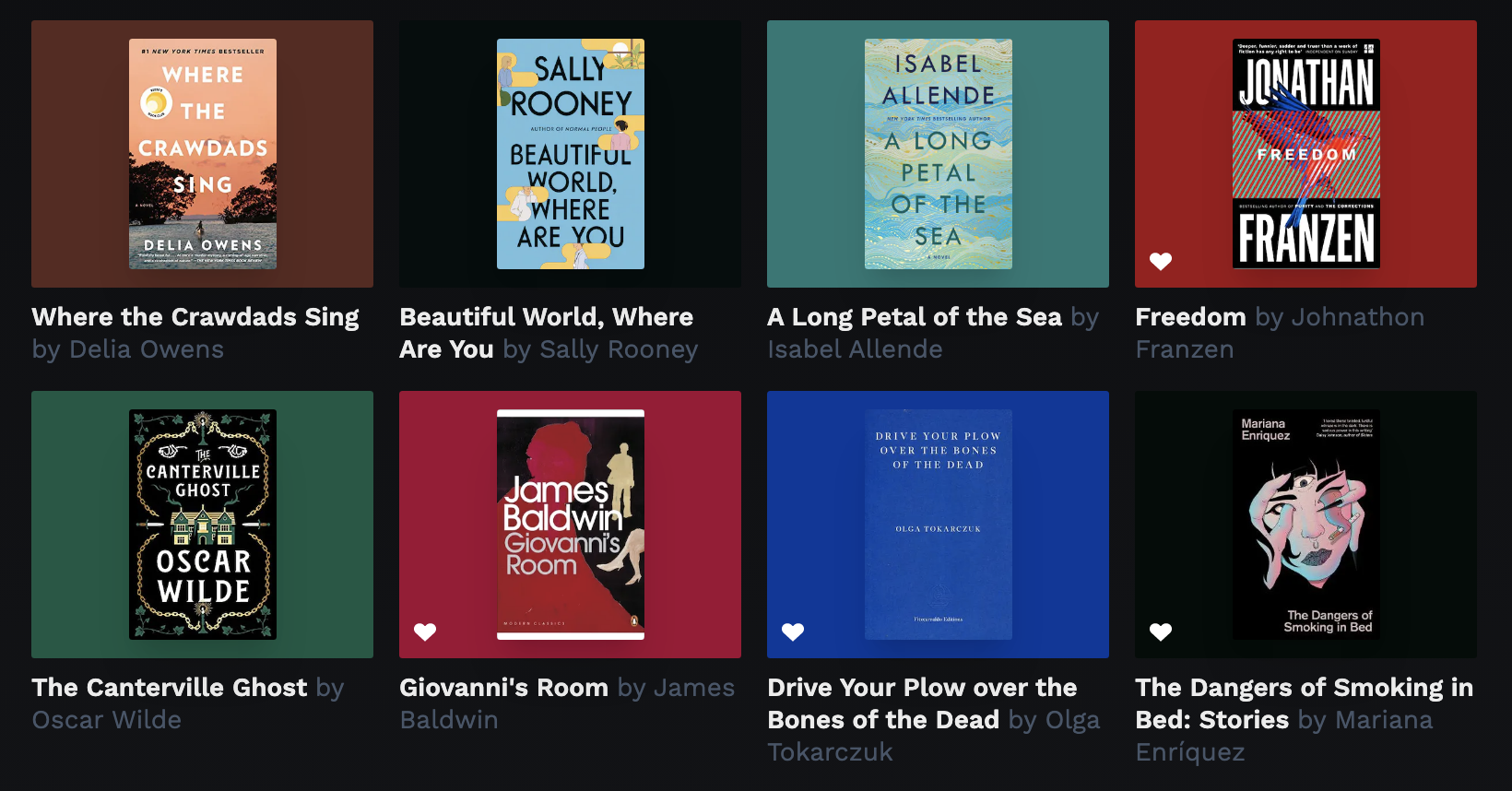
A selection of books from the 2021 archives
Setting up a Notion database
There are many, many templates out there for setting up a database for your books using Notion. Mine is a bit of a hybrid of some that I’ve seen others use, but tailored specifically for the needs of my website. If you’re looking for inspiration, I’d recommend checking out the Notion template library.
The structure consists of a parent database for “Books”, with sub-databases for “Authors” and “Year Read”. Setting both of these fields as a related database means that I can query books by them to populate different views. I’ve used a formula field type for “AuthorName” and “YearName” to give me a string type of the relation, which is easier to digest on the JS side.
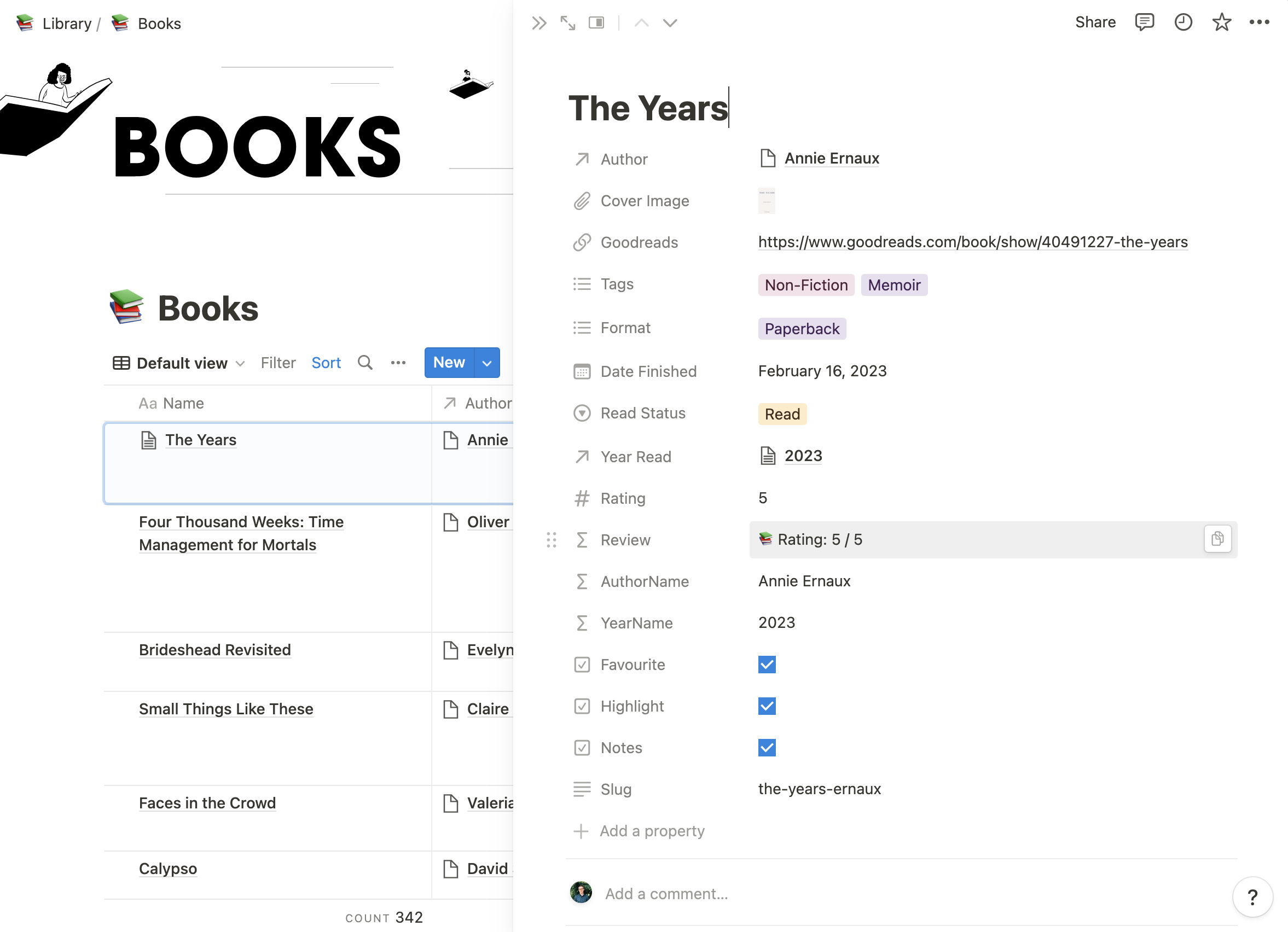
Screenshot of my Notion book database setup
Querying data from Notion
Notion has an excellent public API, which I am fully utilising across my website to allow Notion to act as a CMS, not just for the books page. Using this, I can query full databases to list content, individual database entries for specific pages, and return the inner content of a page (which I’ll eventually use for book notes).
The following code snippet shows one of the several API queries I’m running, this specific one returns all books with a read status of “currently reading”, sorted by the book title.
1
2
3
4
5
6
7
8
9
10
11
12
13
14
15
16
17
18
19
20
21
22
23
export const getCurrentlyReadingBooks = async () => {
  const database_id = process.env.NEXT_PUBLIC_NOTION_BOOKS_DB;
  if (database_id) {
    const query: NotionQuery = {
      database_id,
      filter: {
        property: 'Read Status',
        select: {
          equals: 'Currently Reading'
        }
      },
      sorts: [
        {
          property: 'Name',
          direction: 'ascending'
        }
      ]
    };
    const data = await notion.databases.query(query);
    return data.results;
  }
  return [];
};
I have a small directory of the various Notion queries I need (you can imagine similar ones for “Favourites”, “Books by Year”, etc.). The next step is to use the getStaticProps method from Next.js to pass the data down to the books page component, which looks something like the following:
1
2
3
4
5
6
7
8
9
10
11
12
13
14
export async function getStaticProps() {
  const years = await getReadingYears();
  const highlighted = await getHighlightedBooks();
  const currentlyReading = await getCurrentlyReadingBooks();

  return {
    props: {
      years: years.data,
      error: years.error,
      highlighted: highlighted.data,
      currentlyReading: currentlyReading.data
    }
  };
}
Displaying the library on my website
The reading page of my website is under constant iteration, but primarily it consists of a few sections: “Currently reading”, “Archives”, and “Favourites”. The archives display all books read in a given year, with filters for “Favourites”, "Fiction”, and “Non-Fiction”.
Each book is presented with its title, author, an icon to denote favourite, and the book cover. The book cover is set on a background of the primary vibrant colour, which is picked up from the cover source using react-palette.
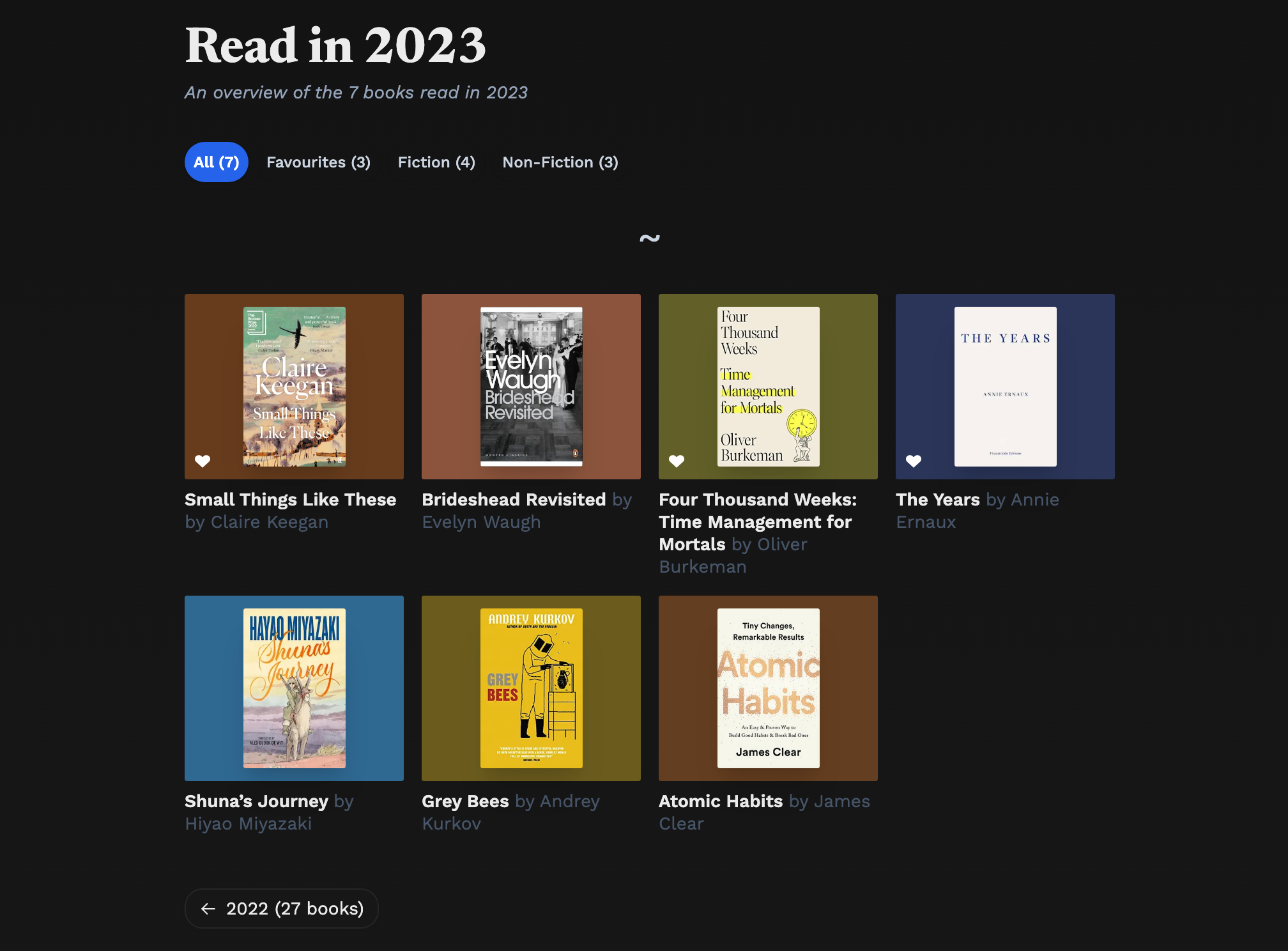
Screenshot of the 2023 archives page (from Feb 23)
In summary
As mentioned, my library and website are constantly evolving, so there are other things I’d love to add to it. I log more data than is currently displayed, so I’m planning to build pages to list books by author or by genre tags. I’ve also started to keep reading notes for certain books within the Notion page itself, which means I might need an extra place to display those on my website at some point.
For me, cataloguing data in this way has been a great motivator, especially motivating me to read more books. I still do update my Goodreads account from time to time, if you want to follow me there.
Happy reading! 📚